Restaurant management, for people who run one
The whole room on one iPad. And guests come back.
Gusto Raffinato brings together the dining room, the waiters' orders, bookings and loyalty cards. On iPad and iPhone, in everyday words.

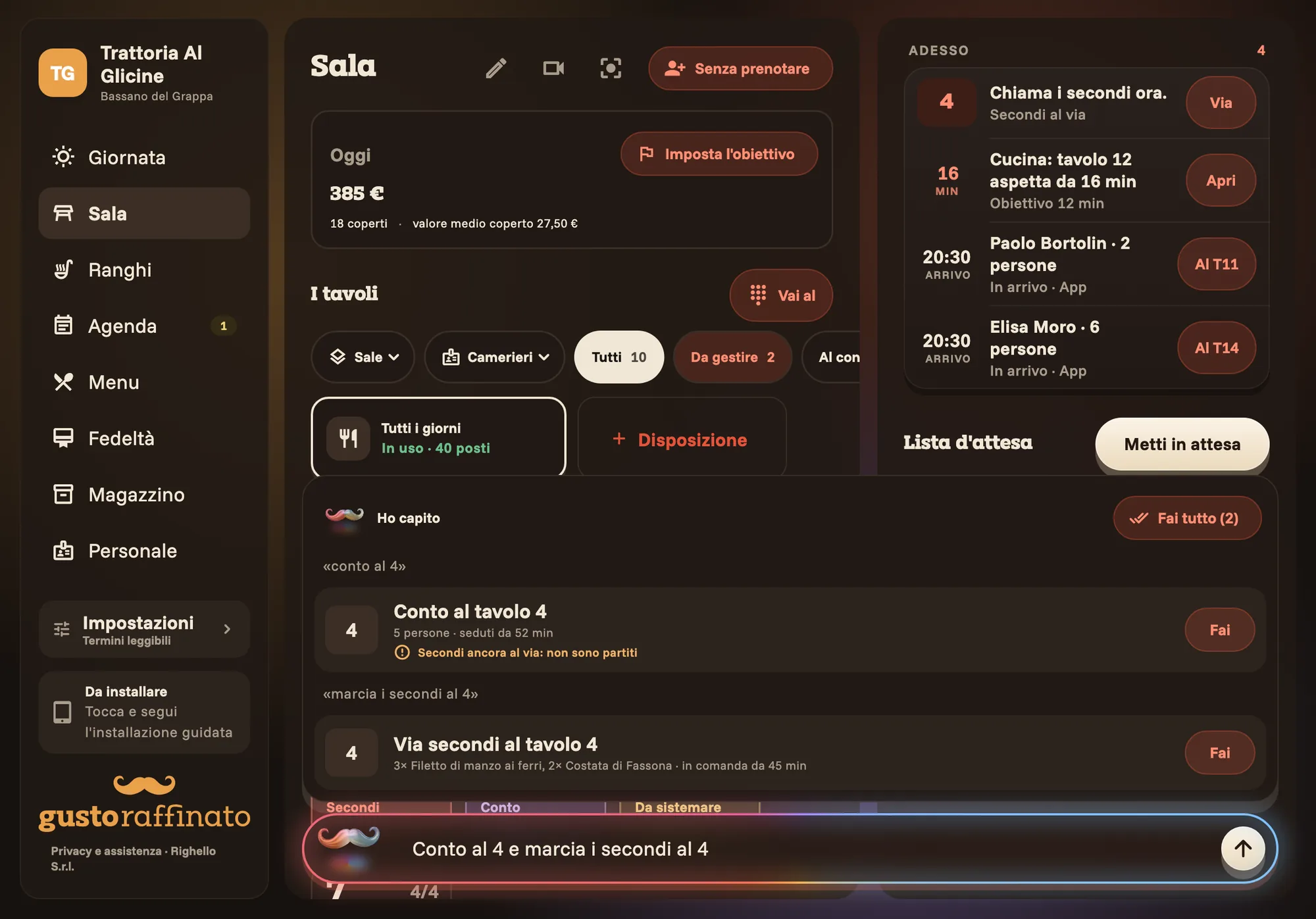
- Table 4 has waited 45 minutes for mainsSend the mains now
- New request from the appChiara Bassi, 2 people at 8:30 pm
- Receipts stay with your till
- The room, measured from a phone
- Loyalty cards in Wallet, no app needed
Your room, as it really is. Three ways.
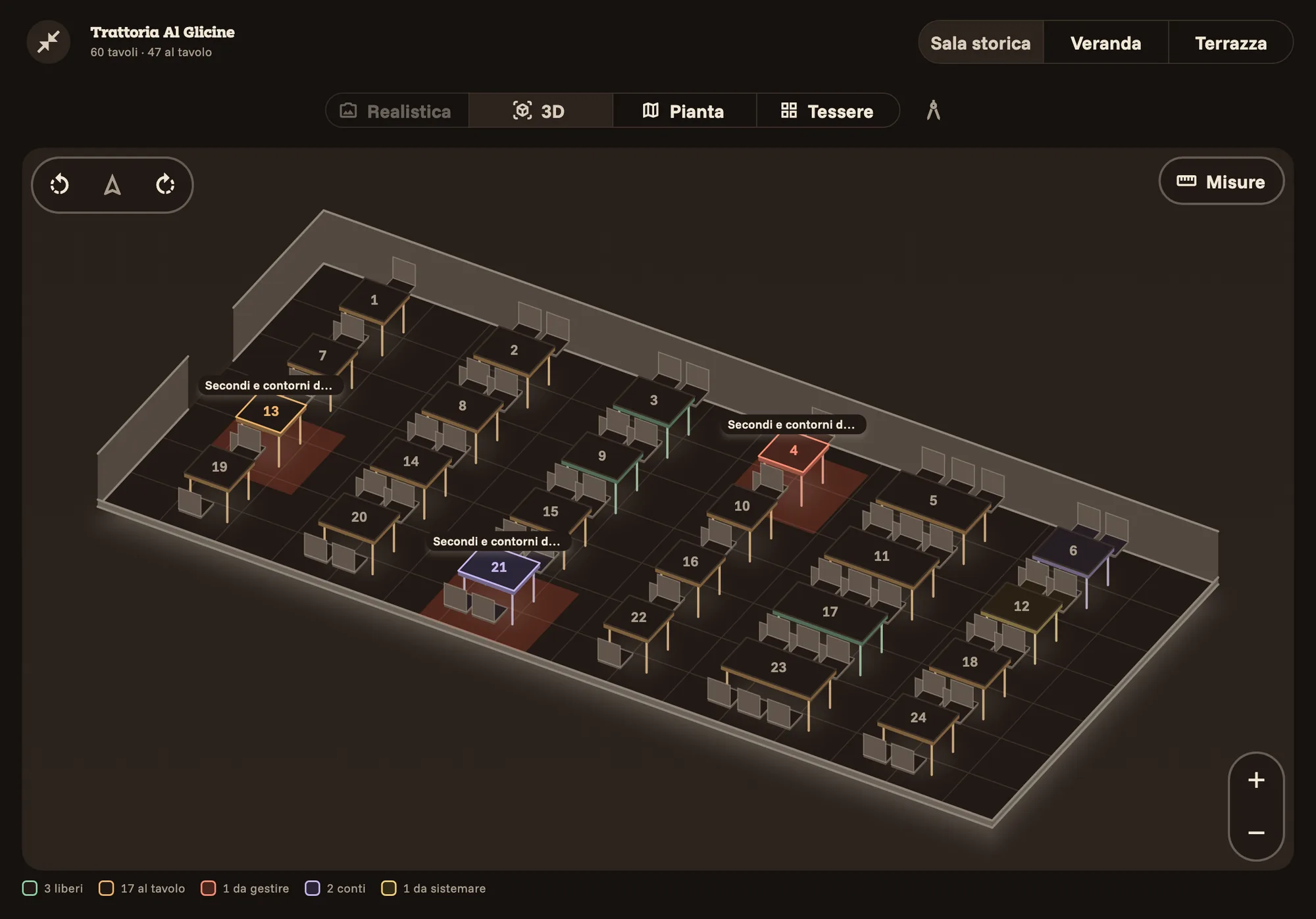
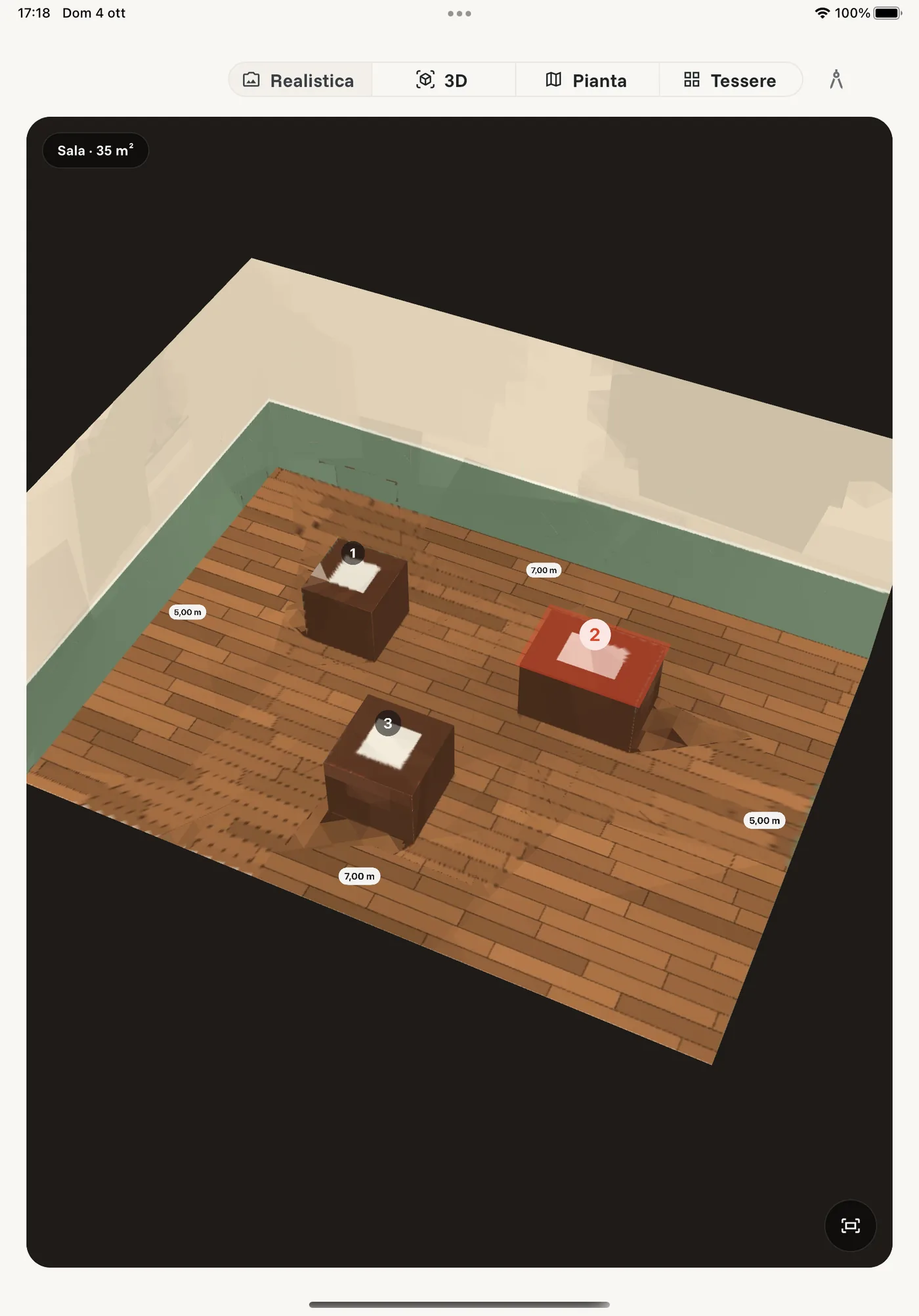
Every table in its place, coloured by what is happening at it: free, seated, needs you, bill. Look at it the way you need and turn it with a finger; there is also a floor plan and a tile view.
From above, in three dimensions
Tables in the colour of their moment, with the time written above them. Even sixty tables read at a glance.
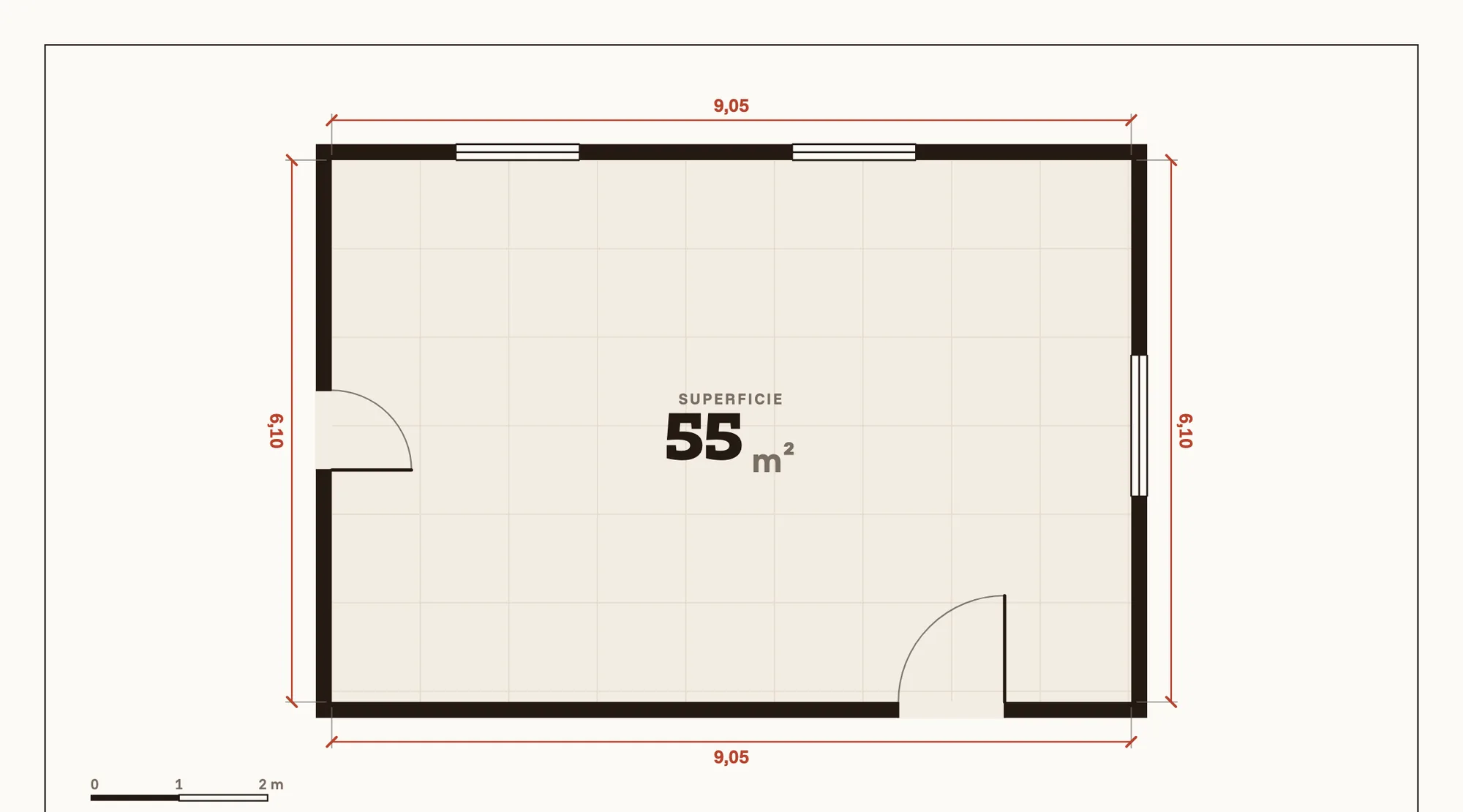
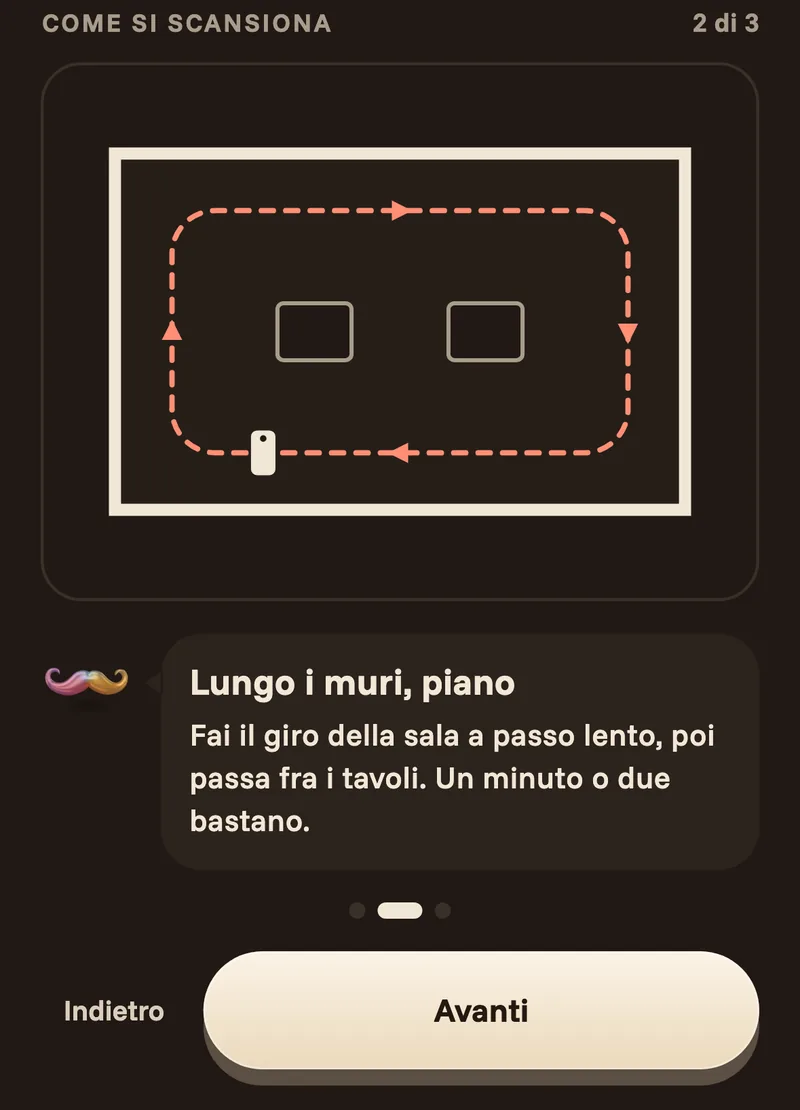
Walk around the room. The floor plan draws itself.
All it takes is an iPhone Pro or an iPad Pro, the ones with the sensor that measures spaces. The manager's phone guides you step by step; the iPad at the counter receives the finished plan.
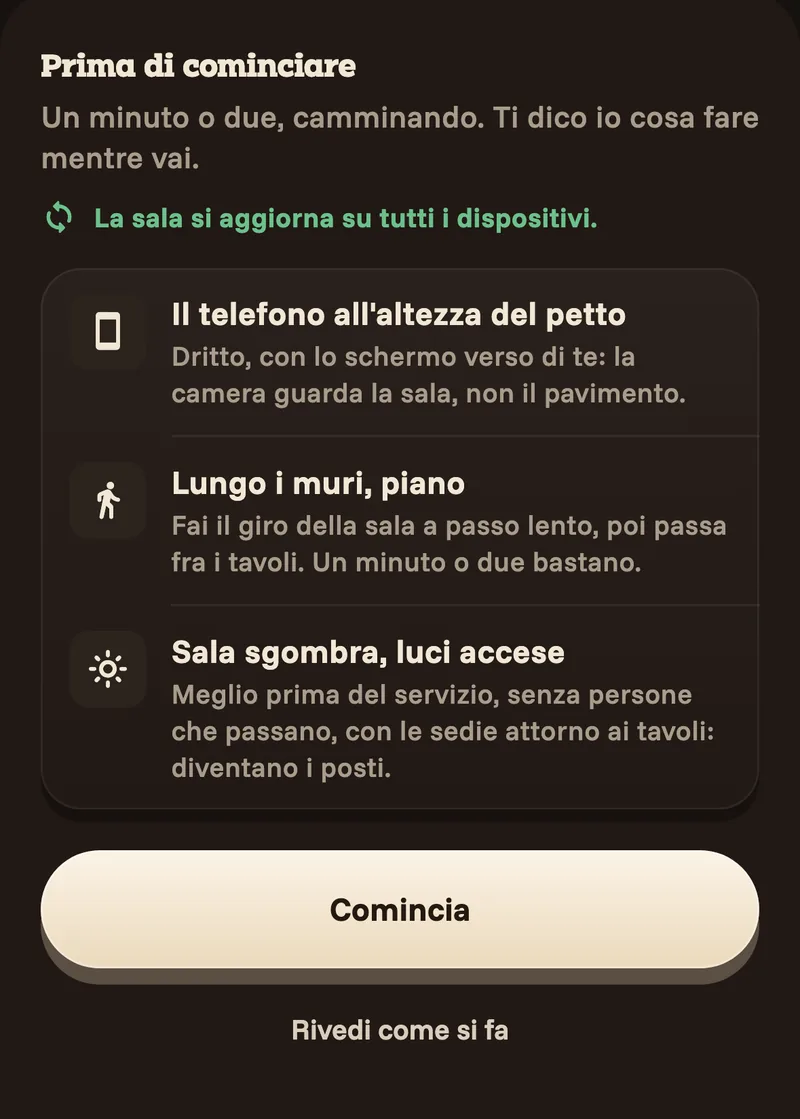
Before you start
Three tips and off you go: phone at chest height, room clear, lights on. A minute or two is enough.
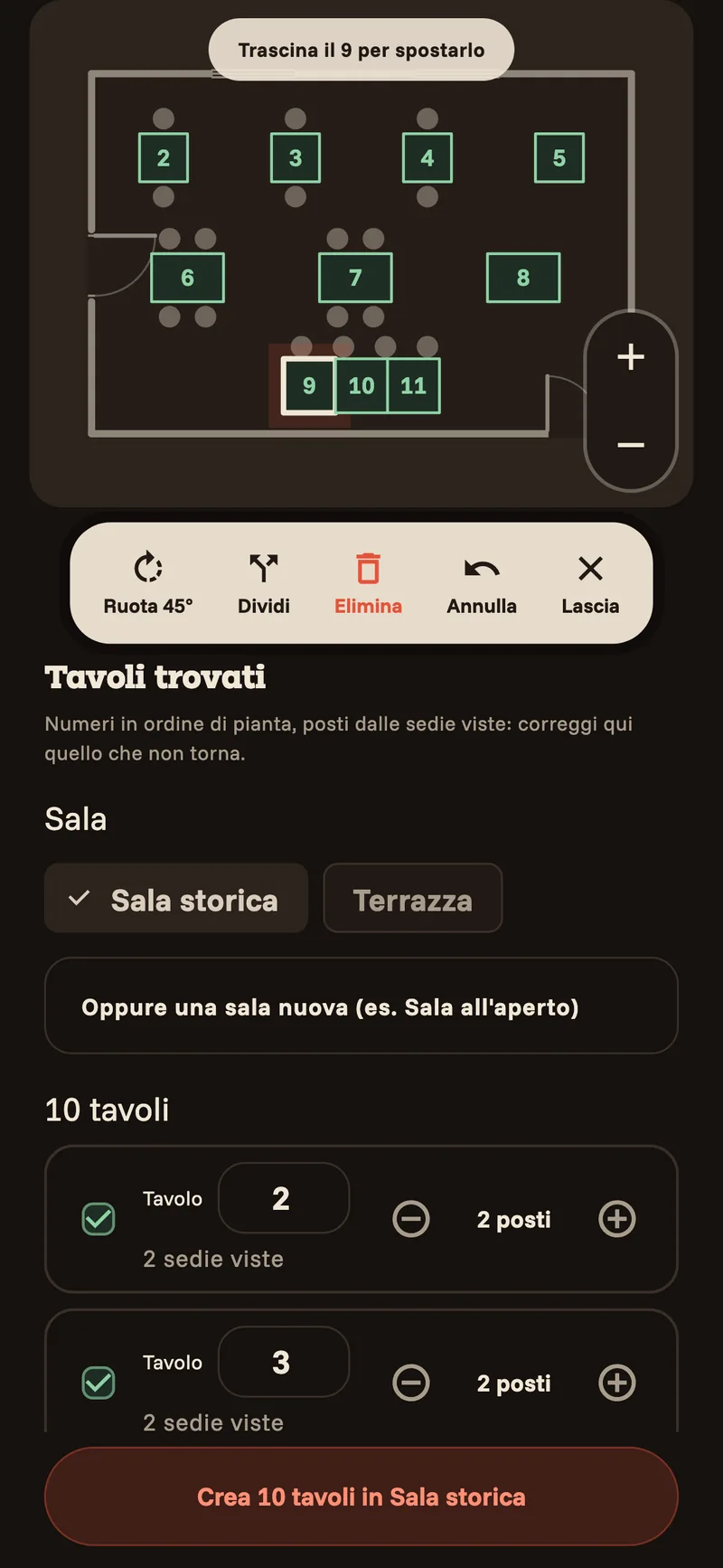
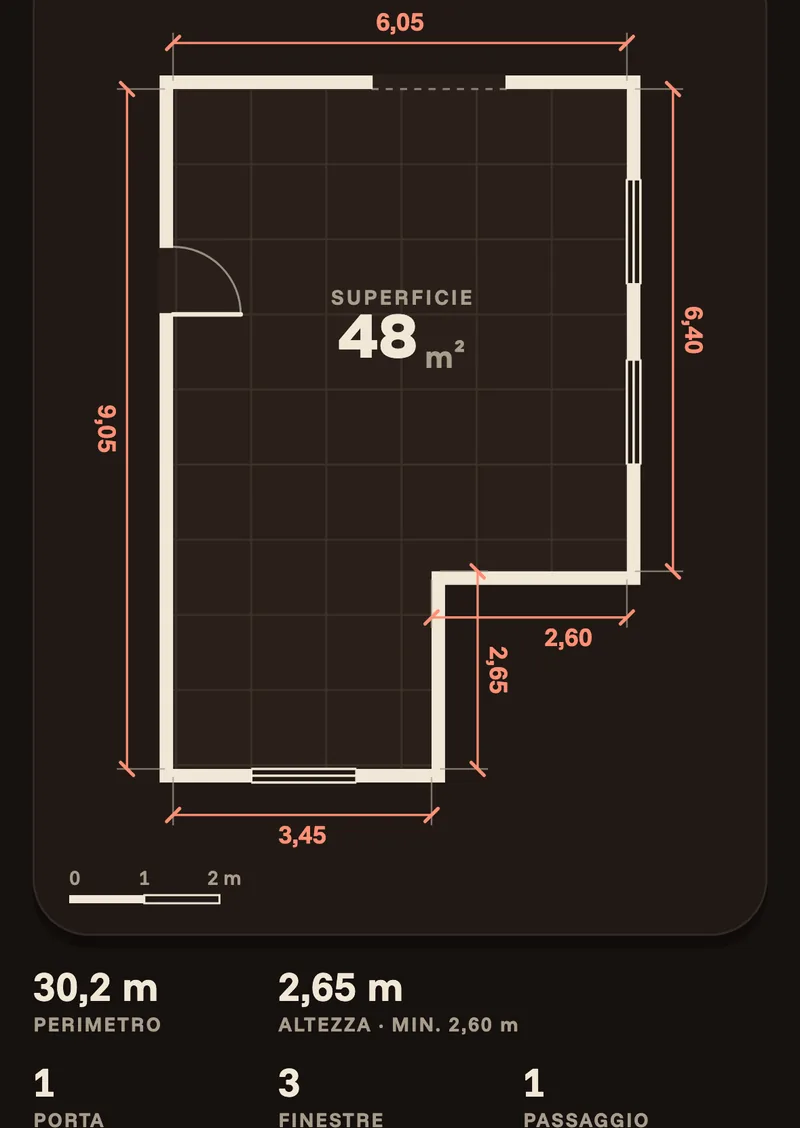
No sensor? Draw the room by hand, or start from a template.
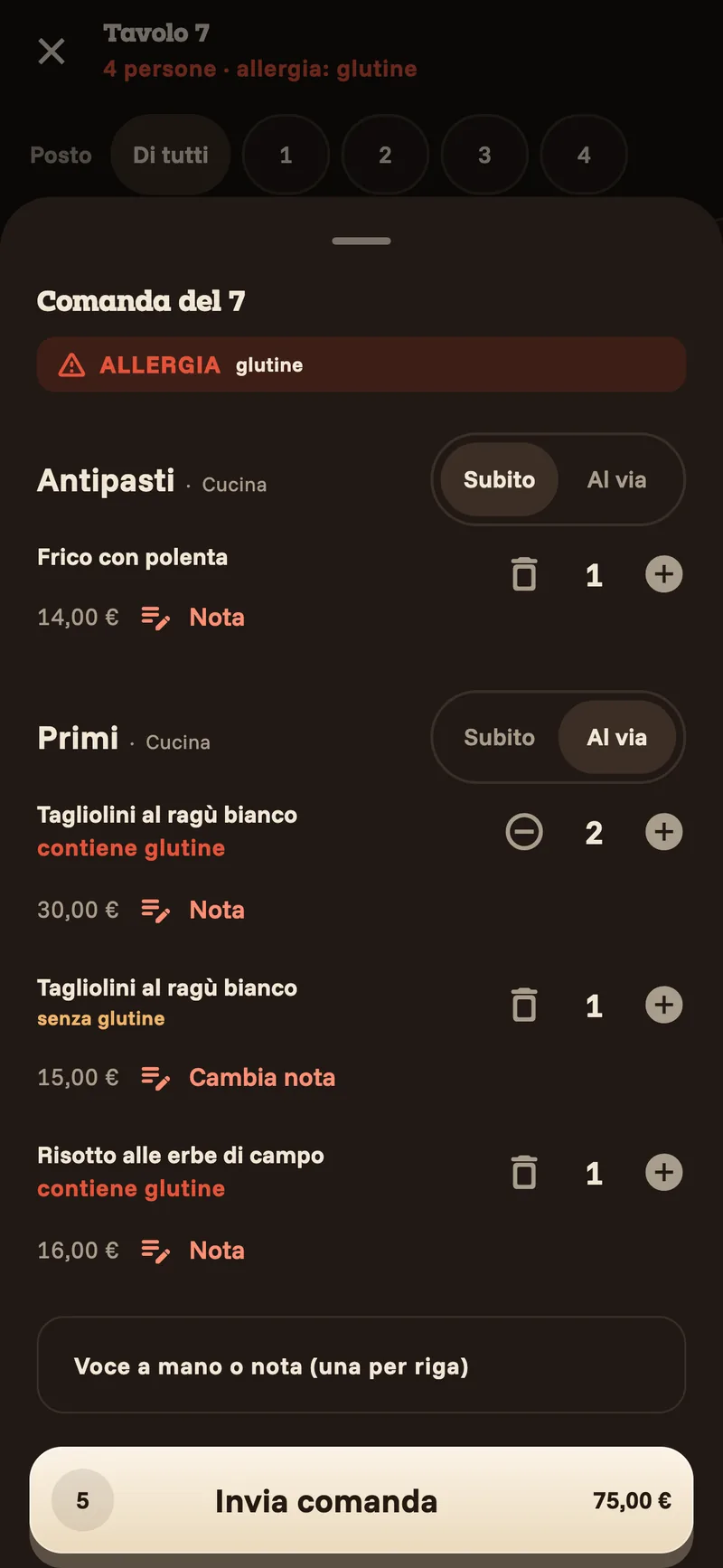
Three taps and the order is in the kitchen.
The order app runs on the waiter's phone. No codes to learn: tap the dishes, and it works out the course from the dish.
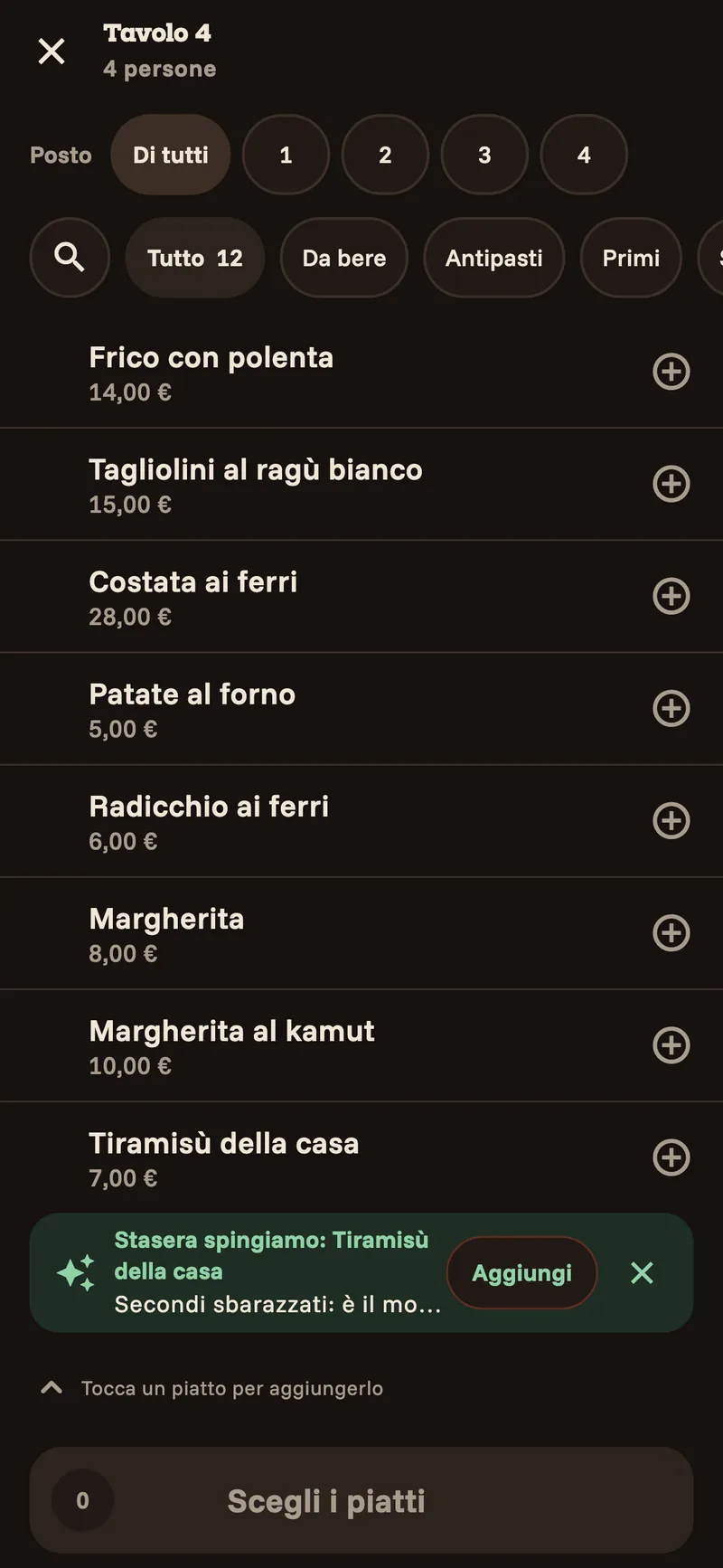
Tap the dishes
The restaurant's own menu, searchable from the first letter.
Check and send
Starters now, pasta when called. Allergies and notes highlighted, line by line.
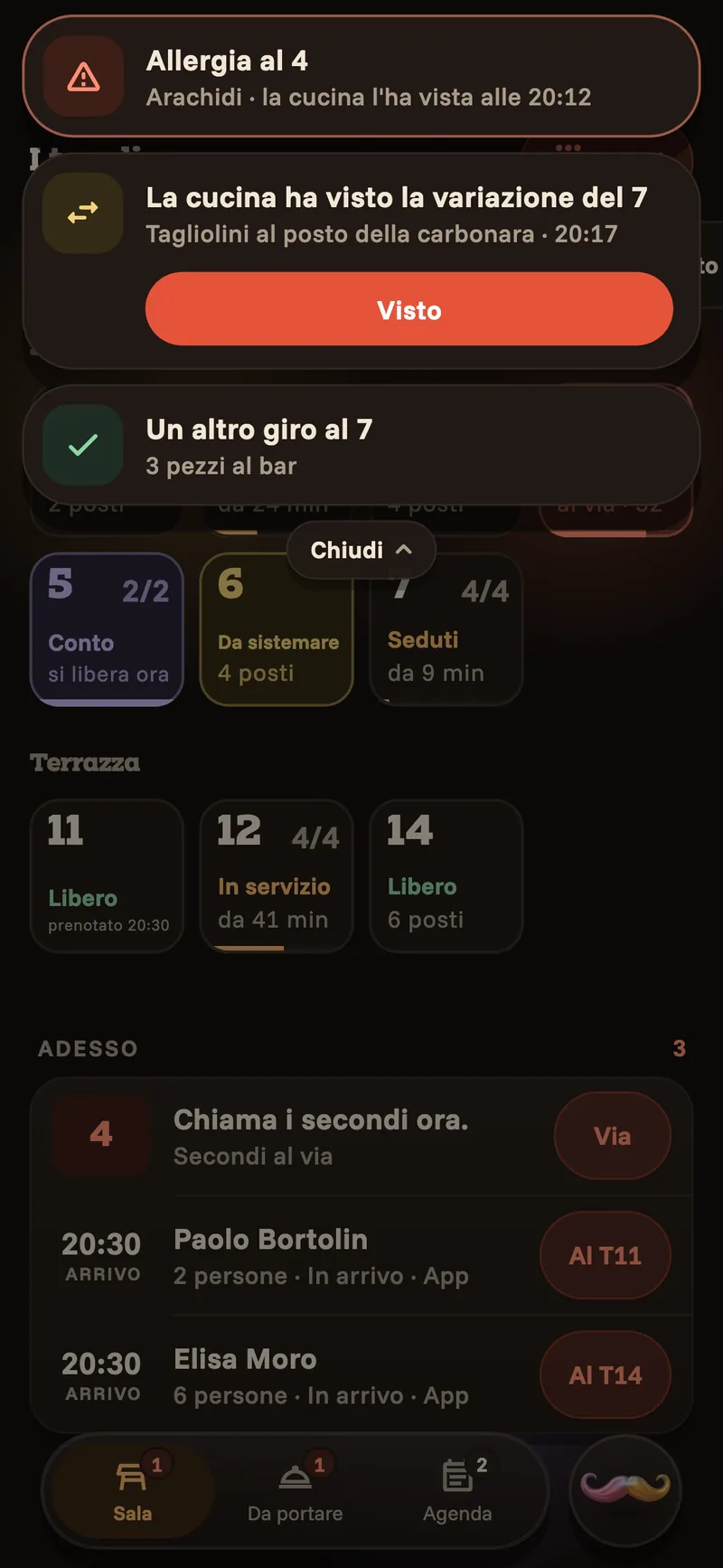
The kitchen answers
Change something and the kitchen gets the change; you see when they have read it.
If the network drops, the phone keeps taking orders and sends them as soon as it is back.
The whole day, at the counter.
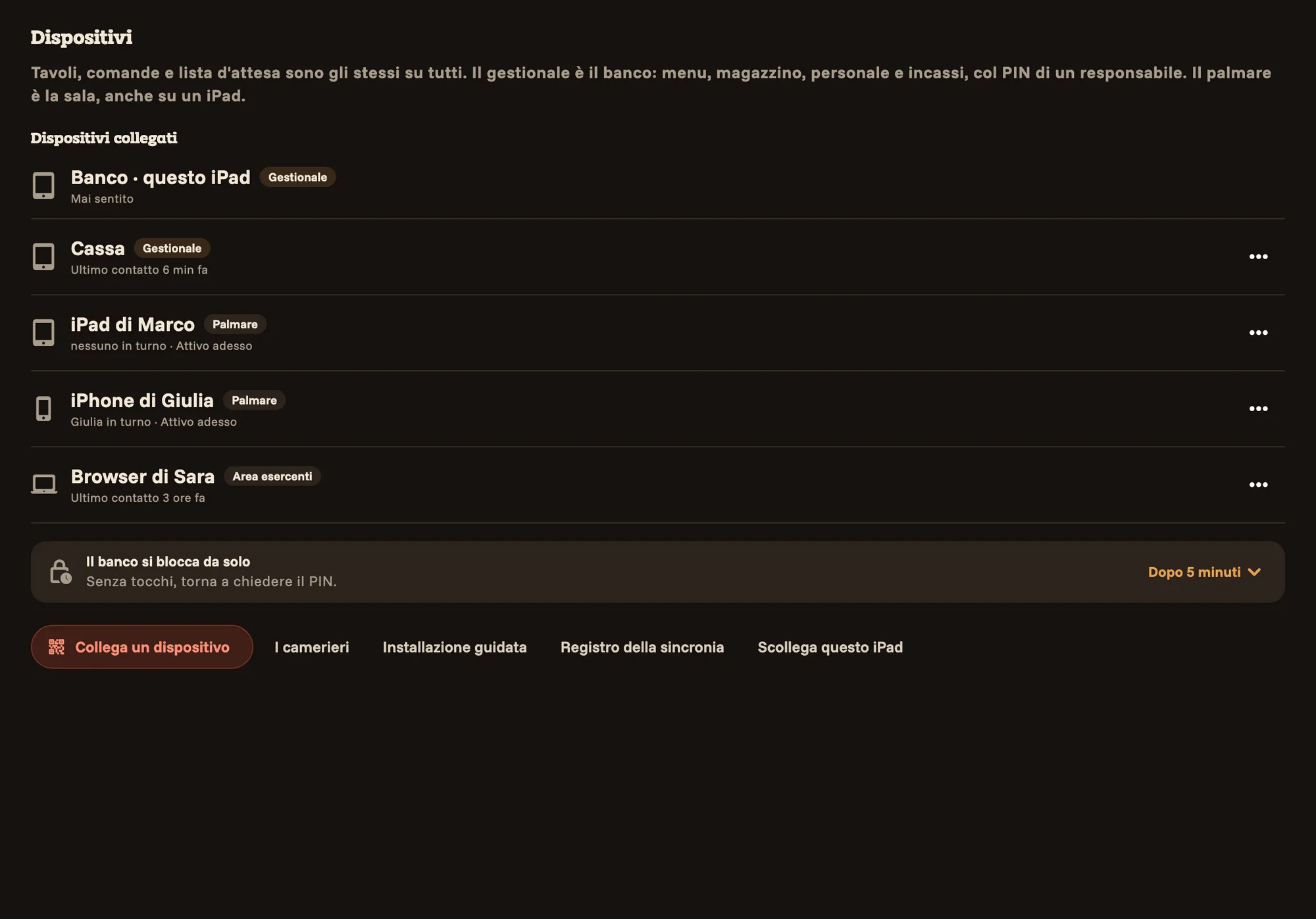
The management app lives on the iPad at the counter and opens with the manager's PIN. Inside is what you need before, during and after service.
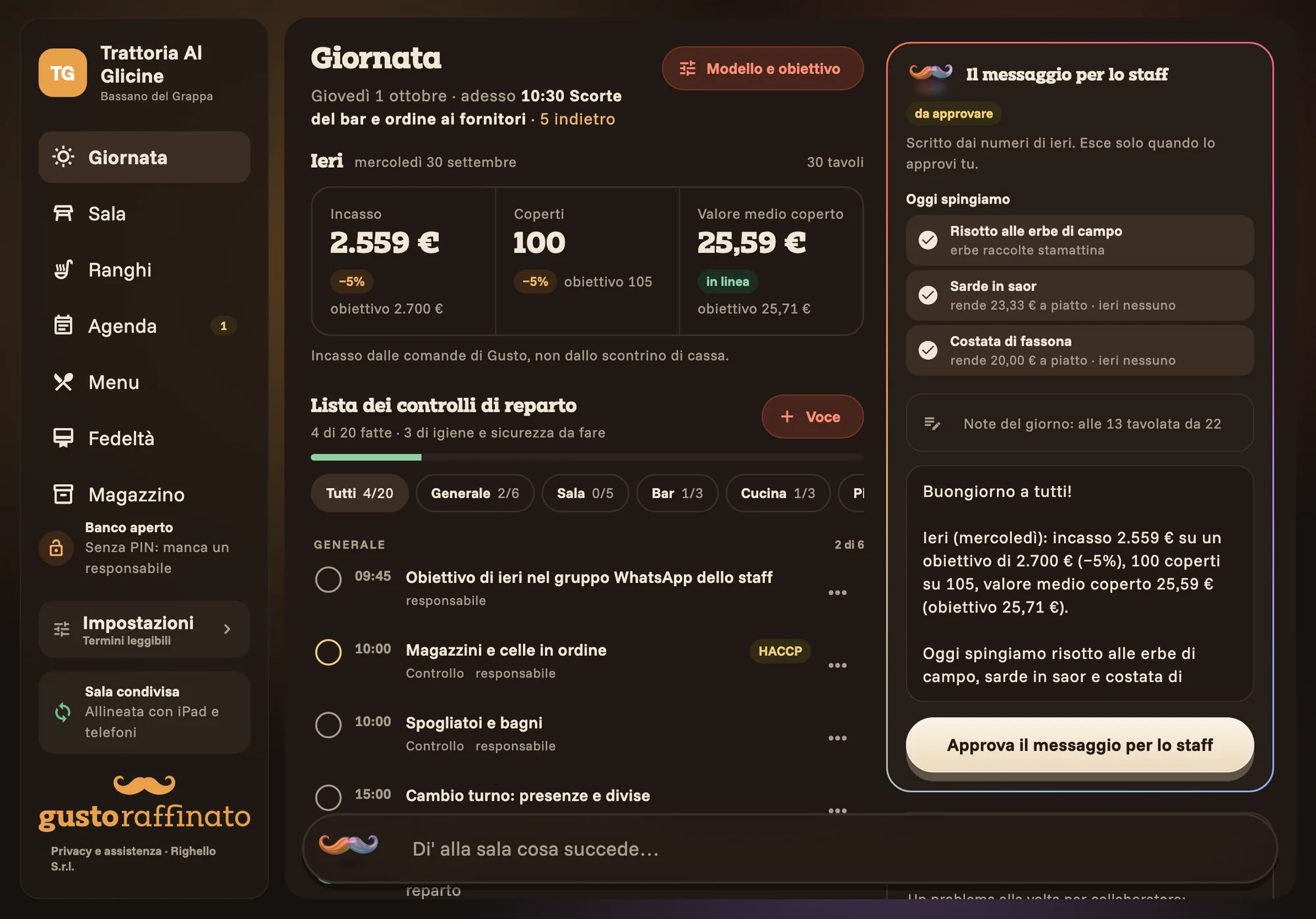
How yesterday went, what to do today
Yesterday's takings and covers against your target, today's tasks by station, the dishes to push. And the message for your staff, which only goes out once you approve it.
Come once, come back.
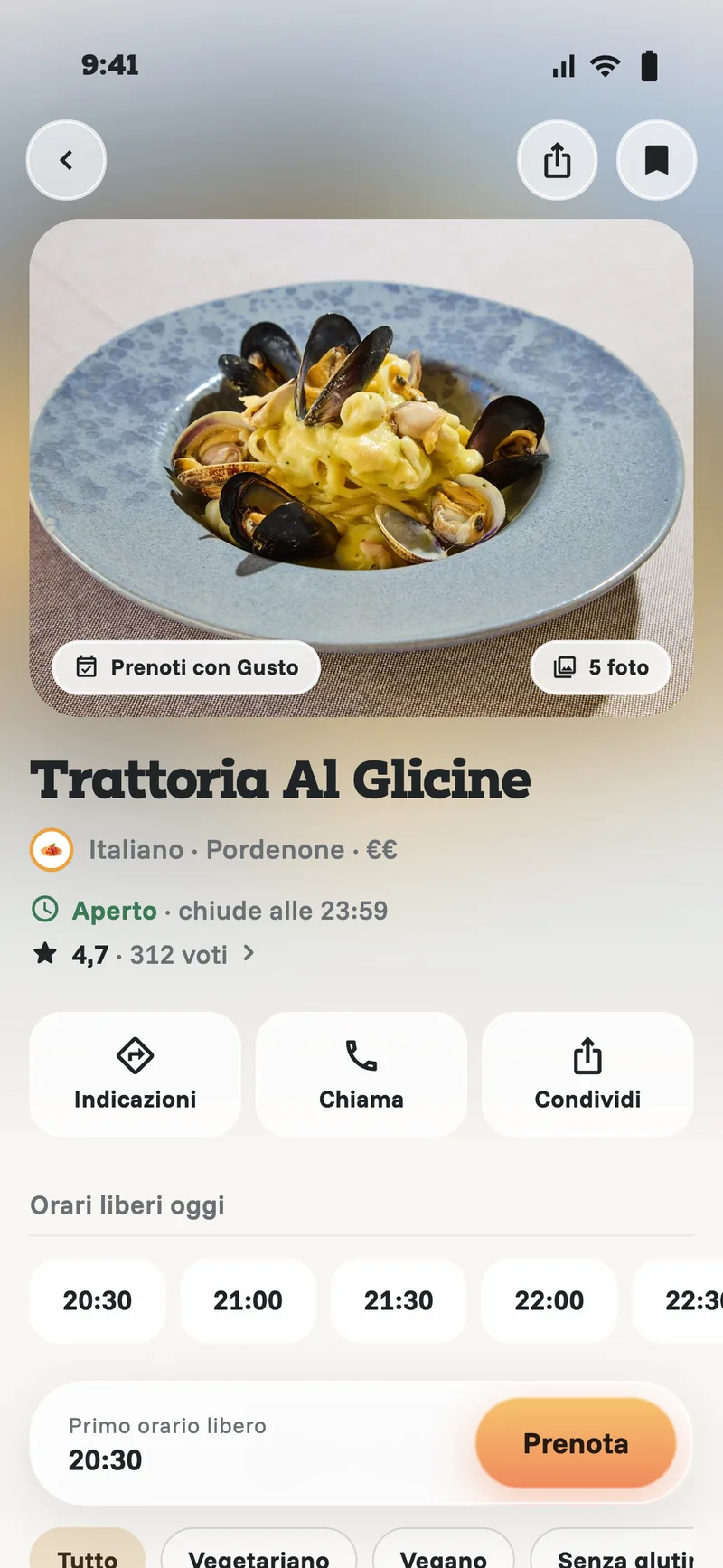
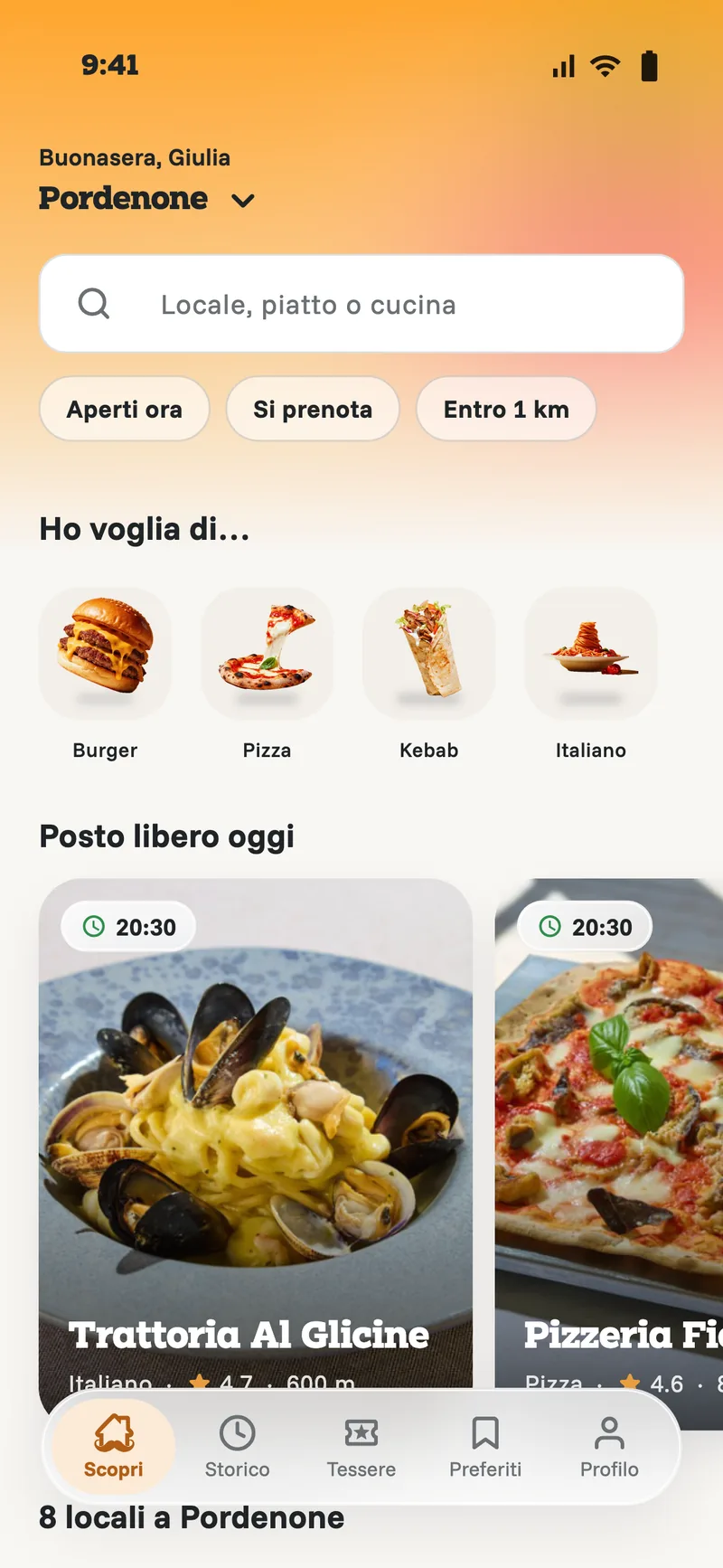
There is also an app for your guests: they find your place, ask for a table and collect stamps. Today it is in testing, by invitation.
The places in their city: who is open, who takes bookings, what's on the menu.
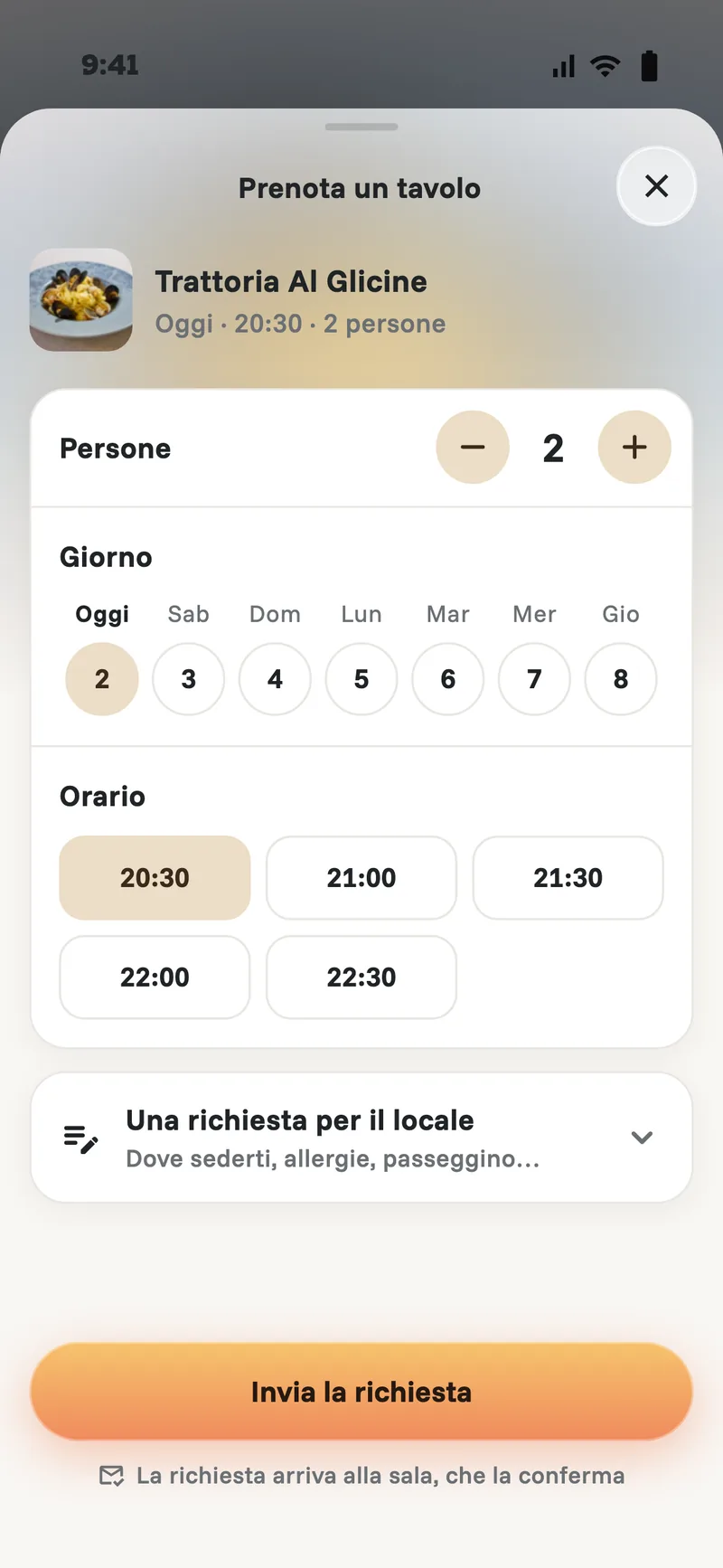
Day, time and party size in a single sheet. The request reaches the counter iPad and you confirm it.
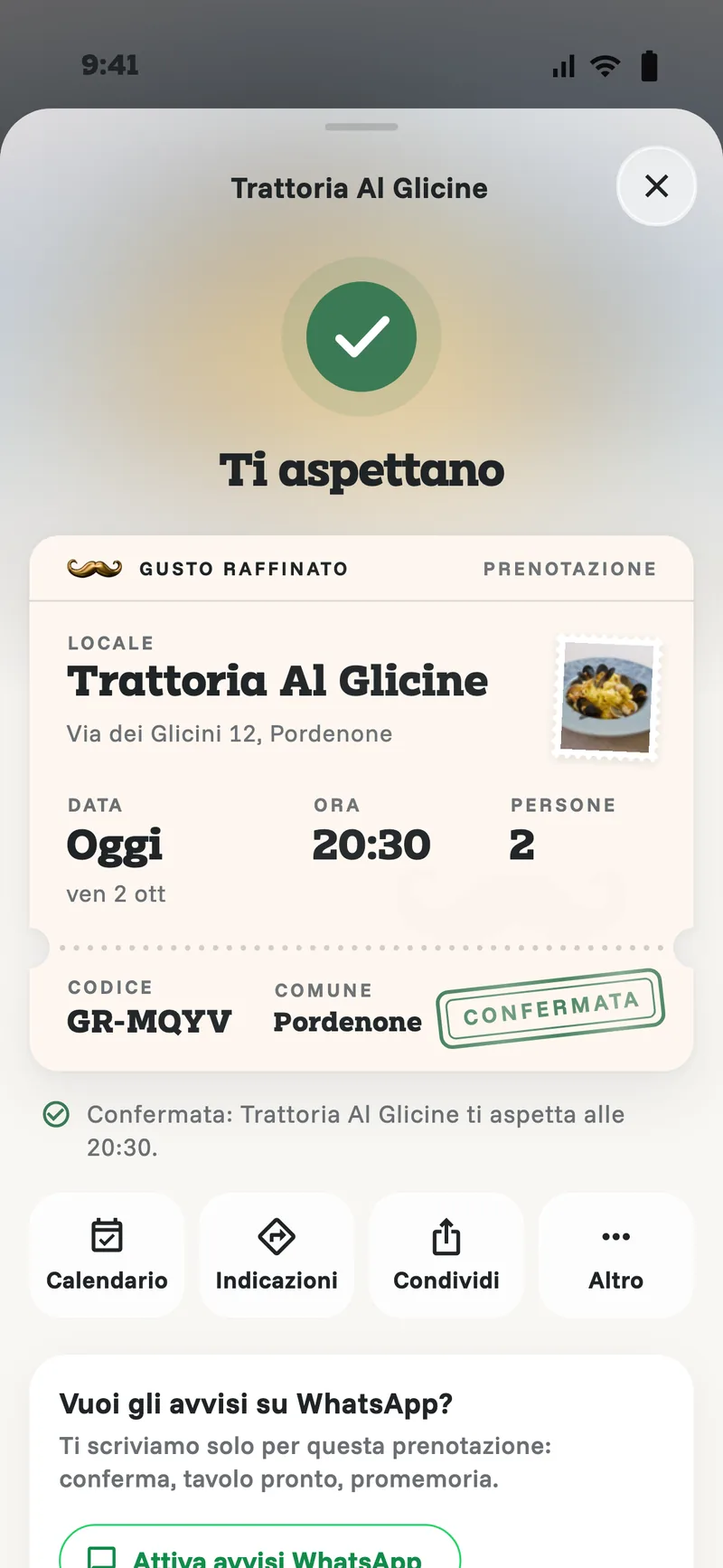
Once you confirm, they get a notification and the booking becomes a ticket: add it to the calendar, get directions, share it.
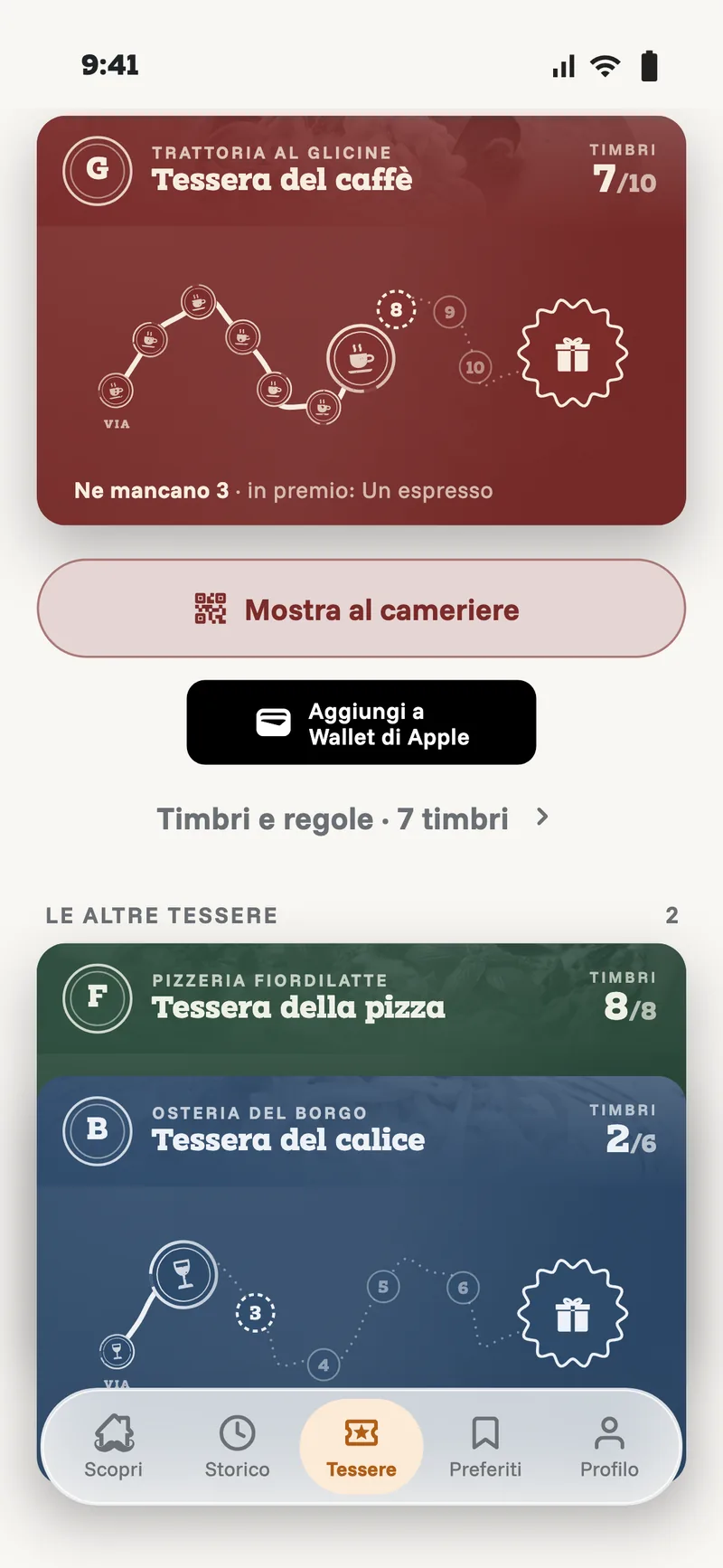
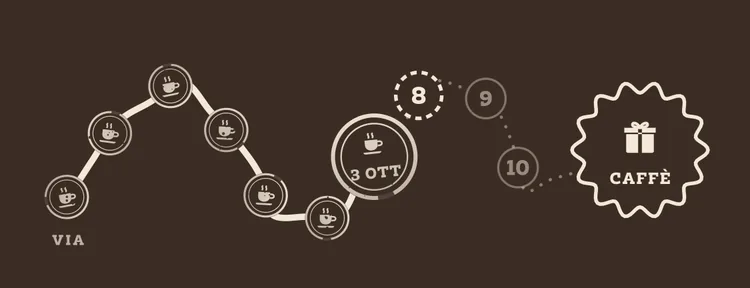
Every place has its own card, in its own colour: a road of stamps to the prize.
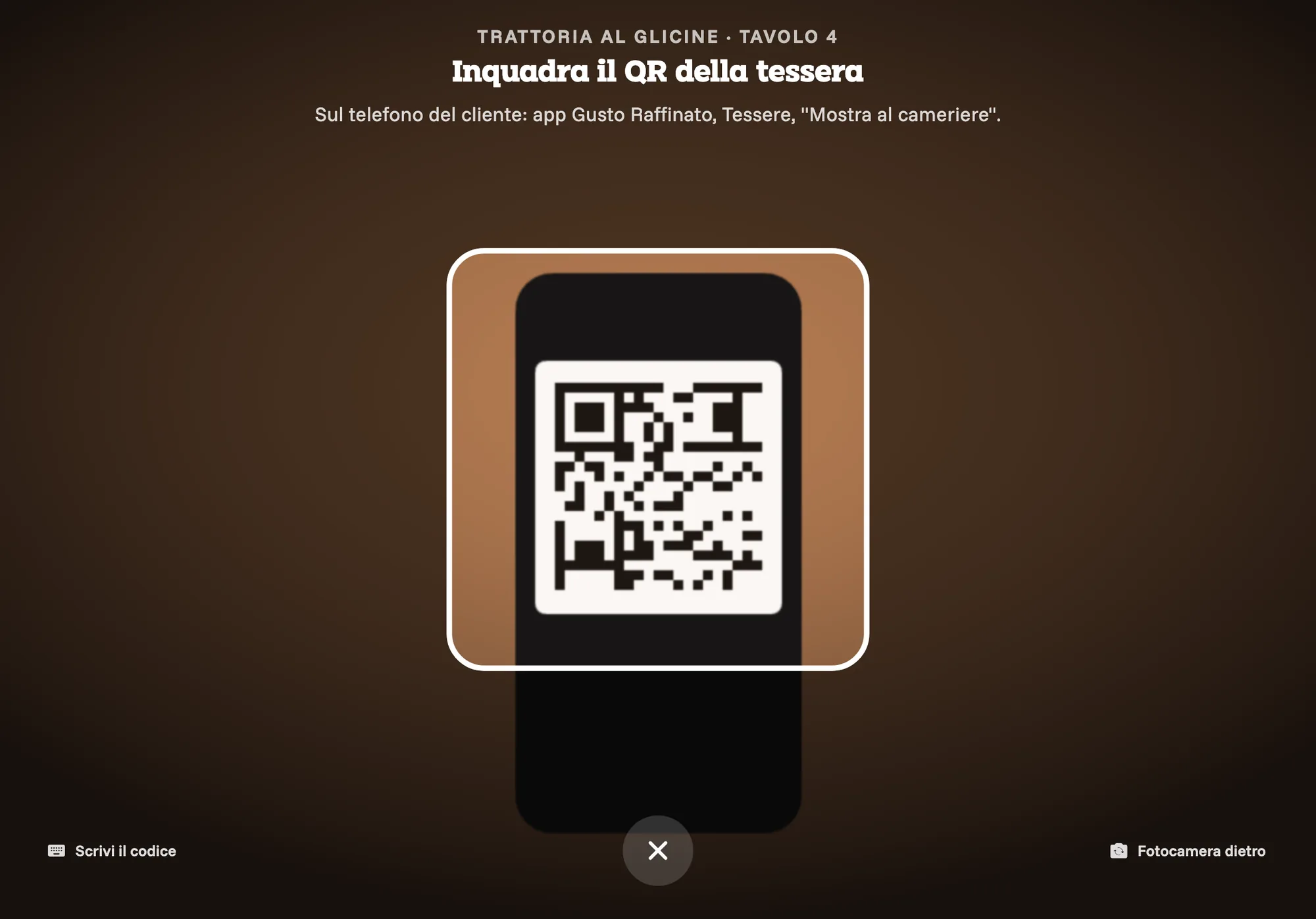
Guests without the app add the card to Wallet from the code you show at the counter. It updates itself with every stamp, with a clear message.
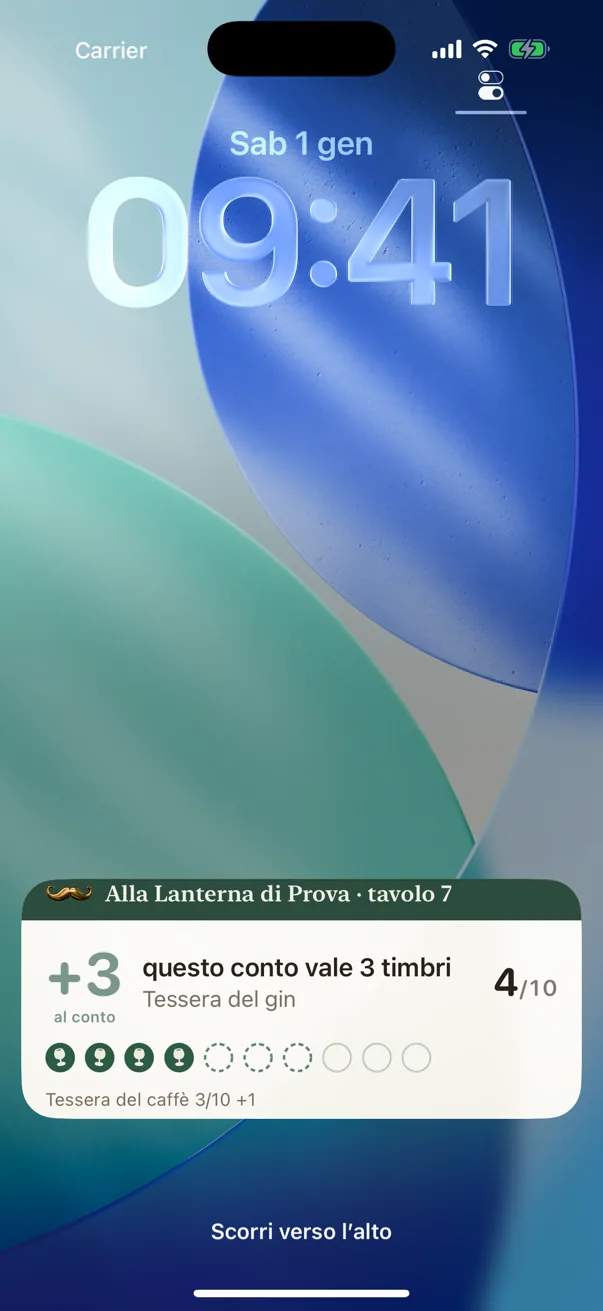
While they are seated, their lock screen shows their table and how many stamps the bill is worth.
Type what's happening in the room. The baffi do the rest.
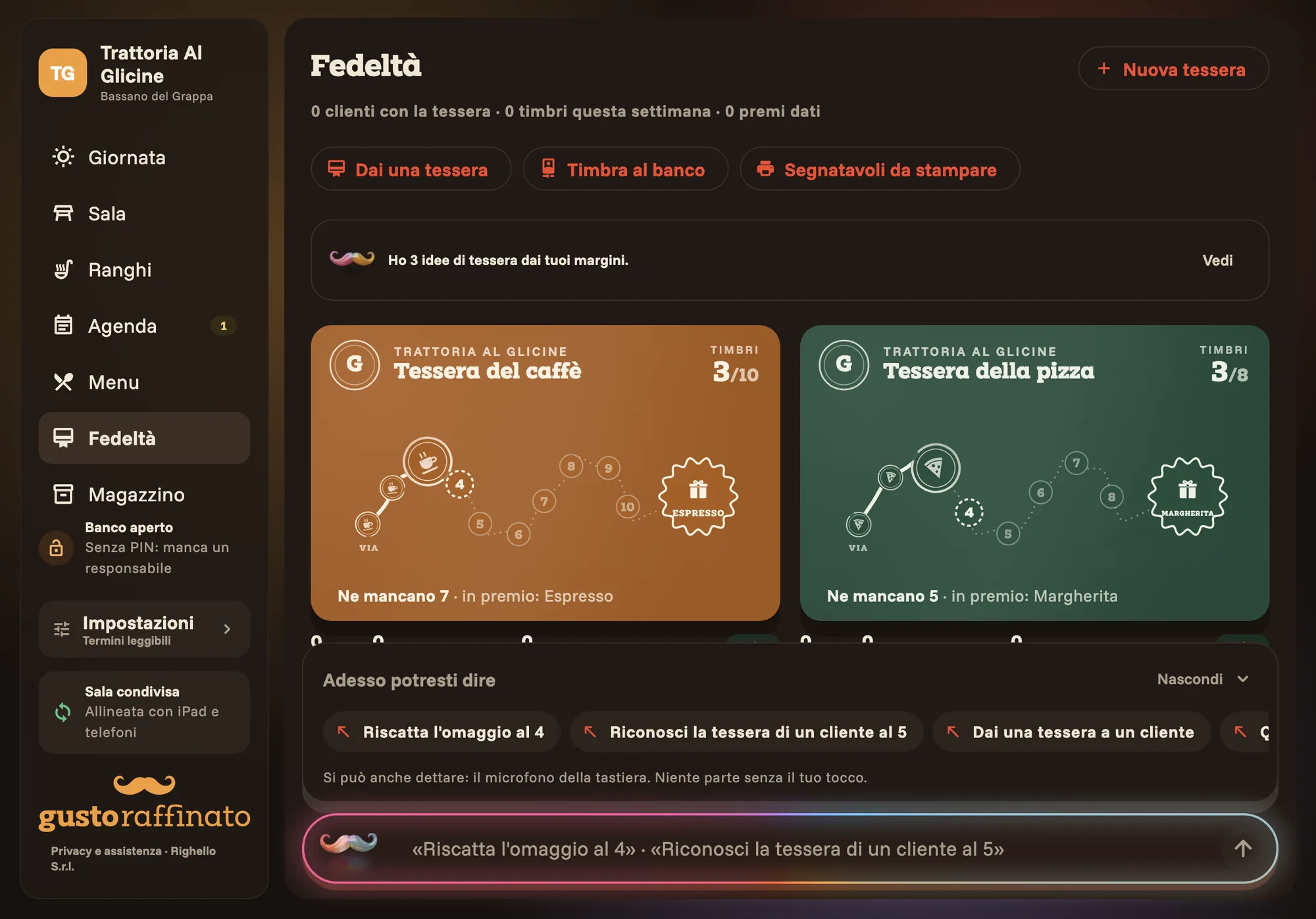
At the counter, type what is happening the way you would tell a colleague. The app speaks Italian, so the phrases are Italian: «4 persone al 10» (4 people at table 10), «manda i secondi al 4» (send table 4's mains). The iPad shows what it understood and why, and acts only when you confirm.
Tap a phrase to try it
What the iPad understood shows up here.
The baffi suggest, you decide.
In every part of the app, when something could be done better, a single line with the baffi. Open it if you are interested, close it if not. (The app is in Italian: the lines below are translated.)
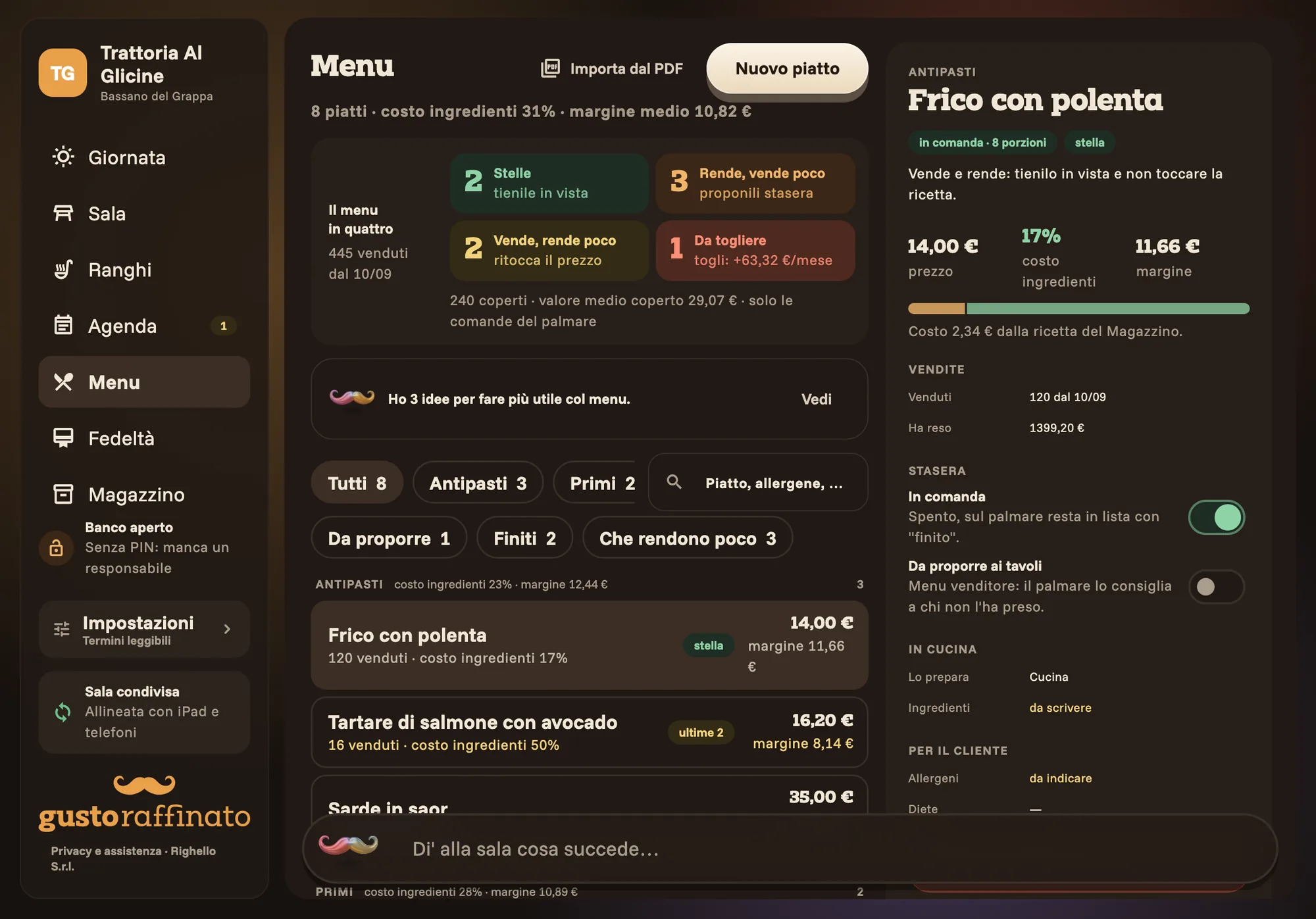
- MenuI have 3 ideas to make the menu earn more.
- LoyaltyI have 3 loyalty card ideas from your margins.
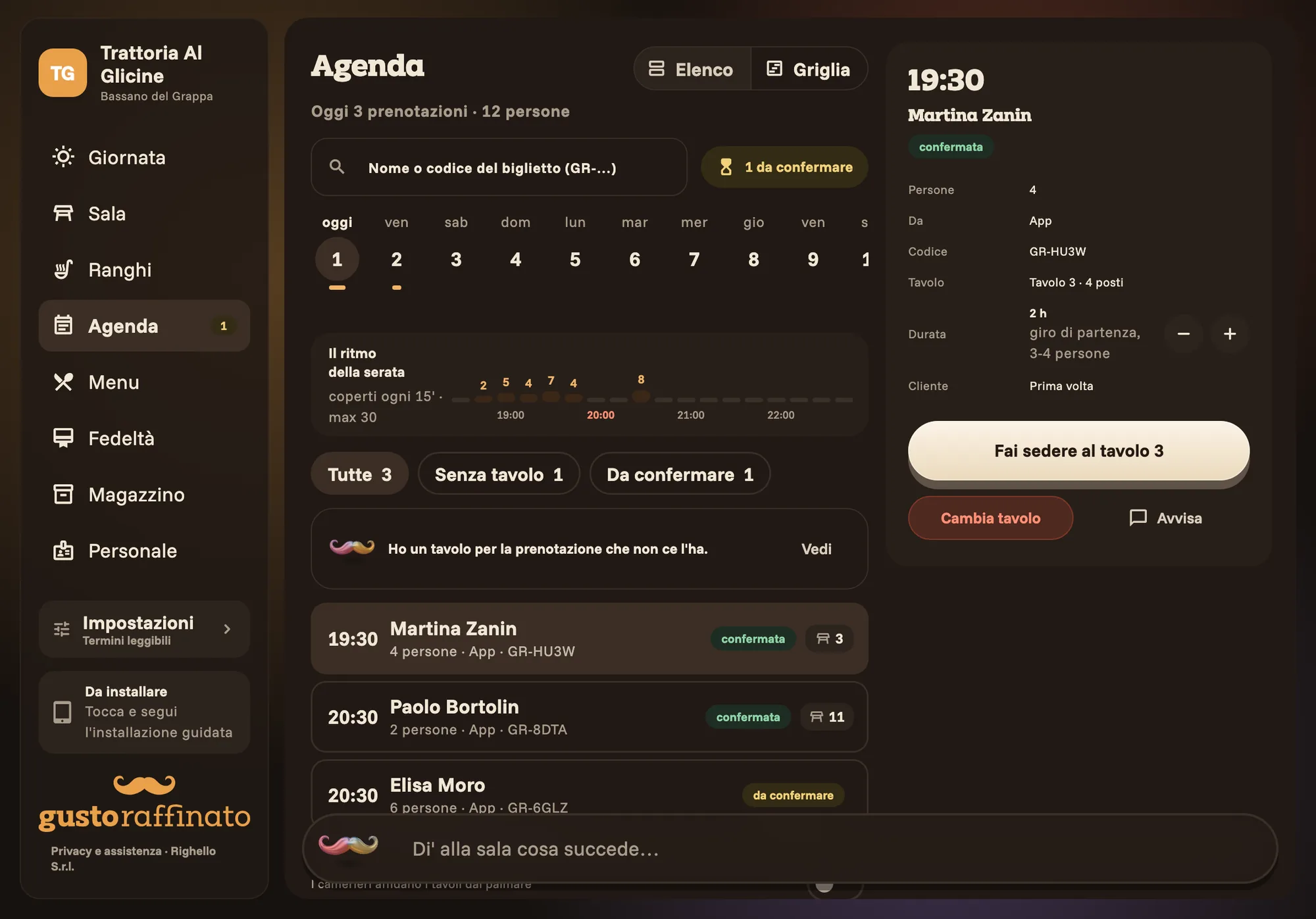
- BookingsI have a table for the booking that doesn't have one.
- TodayThe staff message is ready: approve it?
Before you start.
If the internet goes down, does the room stop?
No. iPads and phones keep working and hold on to what you do. New orders reach the kitchen as soon as the network is back, and until then the phone says so next to the line.
What do I need to get started?
An iPad at the counter and your waiters' iPhones. To scan the room you need an iPhone Pro or an iPad Pro, the ones with the sensor that measures spaces; without one, you draw the room by hand or start from a template.
Does it replace my till?
No. The fiscal receipt stays with your registered till, as Italian law requires. Gusto Raffinato prepares each table's bill line by line, so whoever rings it up has it ready.
Are orders printed?
Not yet: the kitchen reads them on a screen, dish by dish, and marks when it has seen a change.
Do my guests need to download an app?
No. The loyalty card goes into Wallet without the app, from the code you show at the counter; on Android it becomes a code to show. The guest app is there for people who want to book and keep their cards together: today it is in testing, by invitation.
Do I need cameras?
No, Gusto Raffinato works without them. Cameras that watch the tables are an add-on we are testing: they frame tables only, record no video and do not recognise people.
What language are the apps in?
Italian, for now. This page is in English so you can see what they do.
Let's talk, at your place.
Leave us your details: we call you back, come and see your room and set it up in the system together with you.
- We call you back to agree when to come by.
- At your place we look together at the room, the tables and who uses what.
- We scan the room and set it up on your iPads and phones.